 Tamarin
A task manager that can explain itself.
Tamarin orders your work from importance, size, time left and age — and shows you the arithmetic. Your data lives on your own device. If you turn on sync, everything is encrypted before it leaves.
What makes it different
Ranking you can argue with
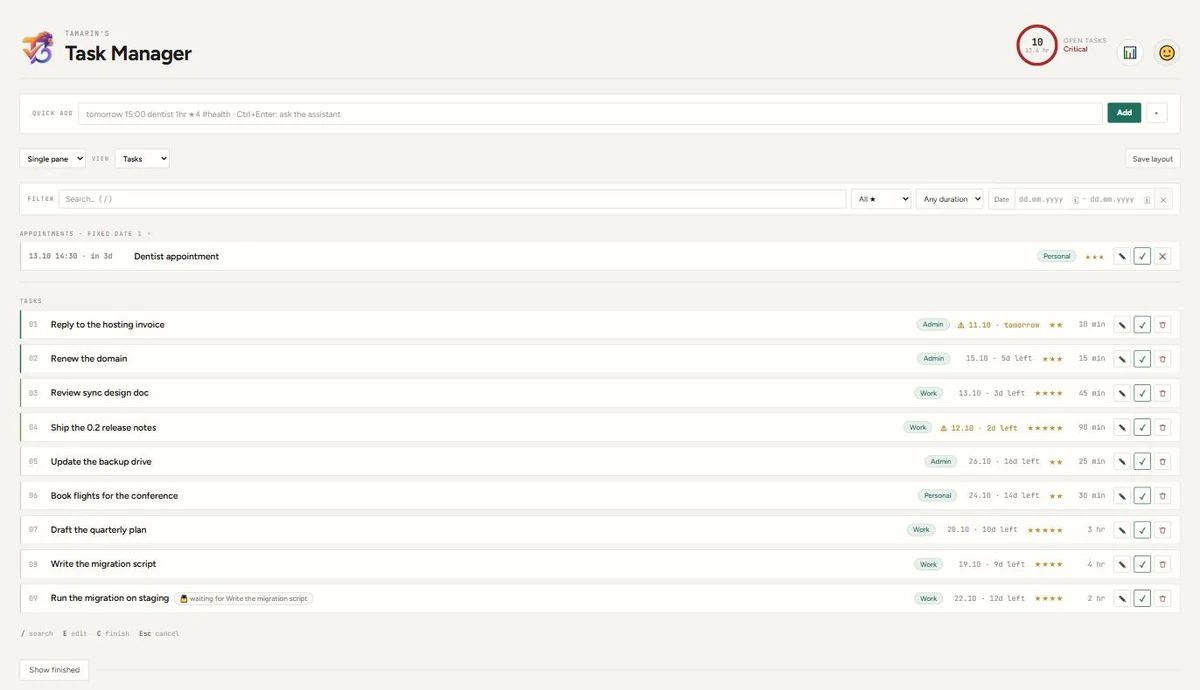
Four inputs — importance, duration, time left, age. You set how much each one counts, and any task can tell you why it sits where it does. No hidden model.
A load meter, not a guilt meter
One number for how full the days ahead are, measured against your real working hours. Overdue work is counted separately instead of being folded in.
Prerequisite chains
Say that one task cannot start before another finishes. Blocked work steps out of the way on its own and returns when it is free.
Notes that belong to the work
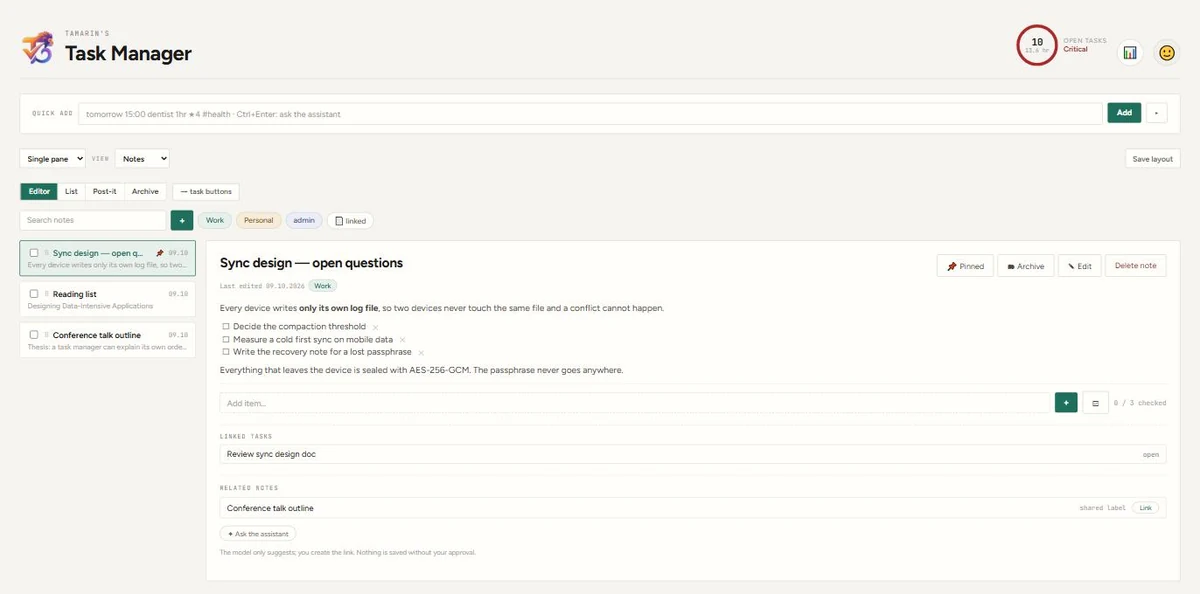
Markdown with checkable items, attached to tasks, with images dropped or pasted straight into the text — not bolted on as attachments.
Your own AI key
Bring a key from the provider you already pay for. The assistant can do anything the interface can. We are not in the middle, and we do not resell tokens.
Sync without an account
No sign-up, no server of ours. Connect your own Google Drive and your devices find each other through it — encrypted end to end.
Where your data lives
The app has no server and there is no account to create. Your tasks and notes are files on your own device.
If you turn on sync, those files go to your own Google Drive — sealed with AES-256-GCM before they leave the device. The key comes from a passphrase only you know. Nobody can read the contents: not Google, and not us. We never store the passphrase, which is also why a lost passphrase cannot be recovered.
Tamarin asks Google for the narrowest permission that exists for this:
drive.file, which can only see files the app itself created. The rest of your
Drive stays invisible to it.
Details are in the privacy policy.
Status
Tamarin is early. The Windows build is the one you can install today; Android works and is in testing, and iOS is planned. Sync between Windows and Android is running and encrypted, and the installer is not code-signed yet — which is why Windows will show a warning the first time.